How to edit the sidebar and workspace menu in ERPNext v16
Applies to: Frappe v16.54.0, ERPNext v16.53.0. Self-hosted bench, developer mode off. Checked 2026-11. The sidebar editor came in v16.50.0. Older v16 releases work differently.
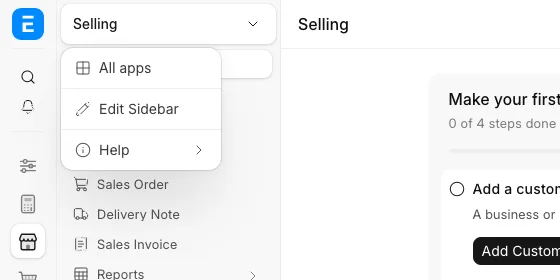
Click the module name at the top of the sidebar, then click Edit Sidebar. There you hide, rename and add sidebar links. You can do it for yourself only, or for every user on the site.
Symptom#
You want a different menu in a v16 module. For example, you want to hide Delivery Note in Selling, or add Item Price. The forum answers from January 2026 tell you to make a Workspace Sidebar and a Desktop Icon. On v16.54 Frappe no longer reads the Workspace Sidebar.
Cause#
v16.50.0 replaced the old navigation. Each module now has one sidebar. Frappe keeps your changes in a separate Custom Sidebar record, on top of the sidebar the app ships. The Workspace Sidebar DocType is now an archive. Its description on v16.54.0 says:
Archive of the previous navigation. Nothing reads it at runtime; it is kept as the migration's source so the conversion to module sidebars can be run again.
Fix: change a module sidebar#
- Open the module, for example Selling.
- Click the module name at the top of the sidebar.
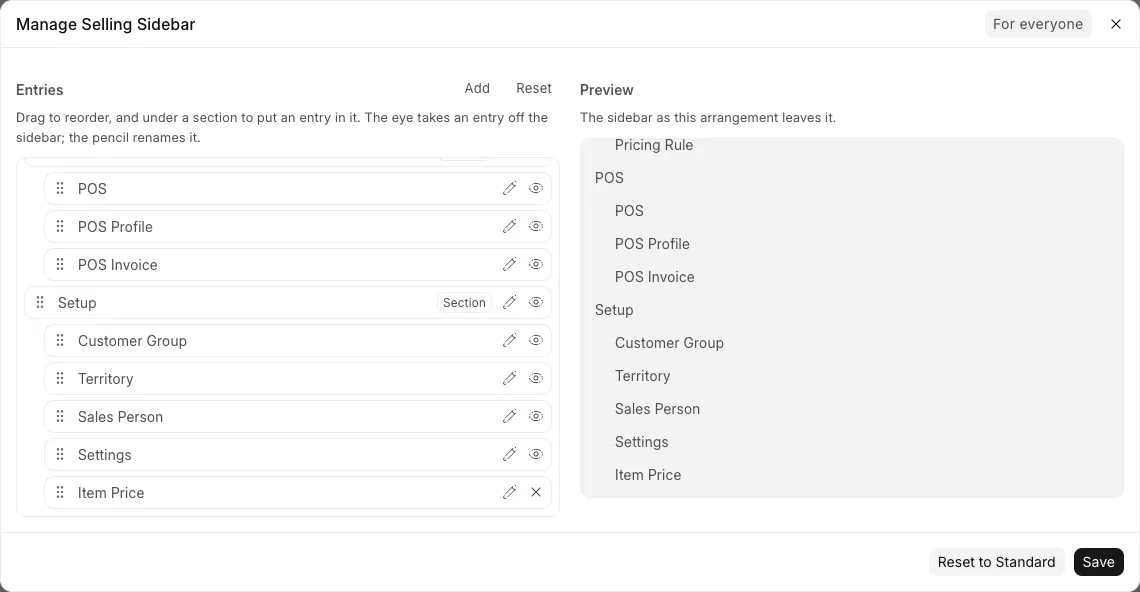
- Click Edit Sidebar. The "Manage Selling Sidebar" dialog opens.
- Pick the layer in the top right corner. For everyone changes the sidebar for all users. Just for me changes only your own.
- Click the eye icon on a row to hide it. We hid Delivery Note.
- Click the pencil icon to rename a row. We renamed Customer to Customers.
- Click Add to add a link. Set Kind to Link, Links To to DocType, and Item to Item Price.
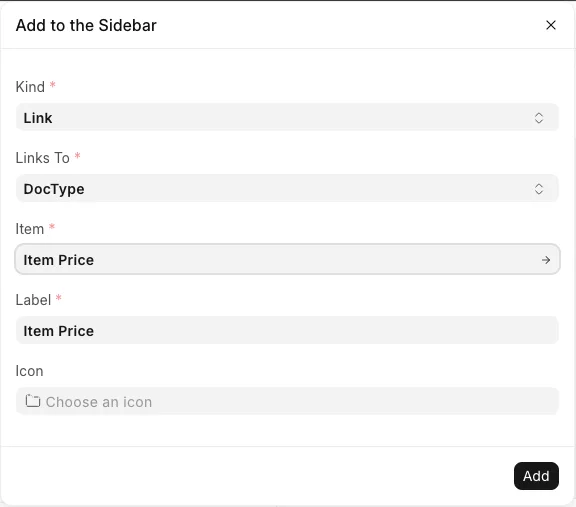
- Click Add. The new row goes to the end of the list, under the last section. Drag it by its handle to move it.
- Click Save. Desk shows "Sidebar updated for everyone".
Only a user with the Workspace Manager role sees the For everyone layer. Other users can open Edit Sidebar too, but they only change their own sidebar.
Fix: add your own workspace to the menu#
- Open the module where you want the new page.
- Click the three dots in the top right corner of the page, then click New.
- Type a title. Set Access to To everyone. Check that Module is the module you want.
- Click Create.
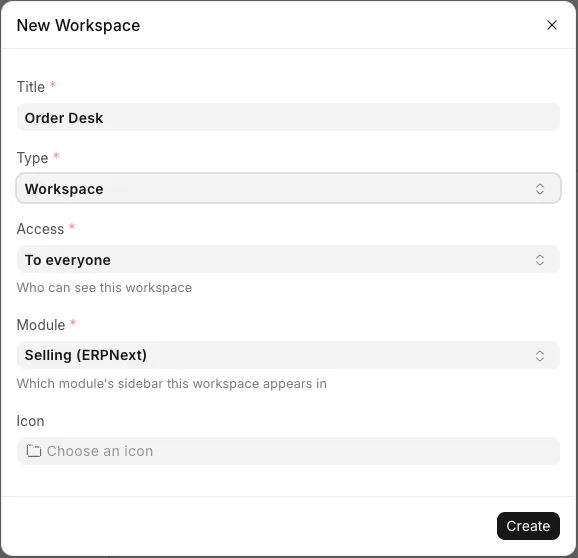
The workspace now shows at the end of that module's sidebar for every user.
Do not use the Workspace form at /desk/workspace/new for this. On v16.54 its Public box is read-only. Our page from that form saved as not public. It did not show in the sidebar, and the Add dialog did not offer it.
The title must not be the name of a DocType. "Sales Team" failed with this message, because ERPNext has a Sales Team DocType:
Name already taken, please set a new name
Check that it worked#
Log in as a normal user. We used a user with the Sales User and Sales Manager roles. Open the module. Our Selling sidebar showed Customers, no Delivery Note, and the new Order Desk workspace.
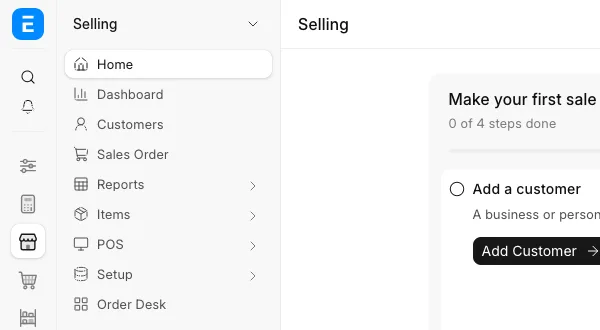
A link only shows to users who can read it. Item Price did not show for our Sales User, because that role cannot read Item Price on our site. Give the role read access in Role Permissions Manager if they need the link. We did not test that step.
If it still fails#
- You see a third layer named after the app, for example "For erpnext". That layer shows only in developer mode. It changes the sidebar the app ships, not your site's layer. Pick For everyone instead. We did not save anything to the app layer.
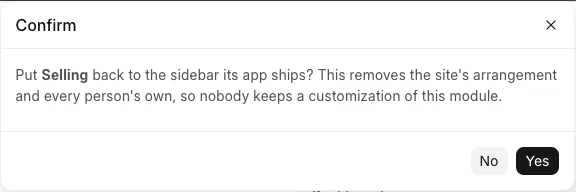
- To undo, open Edit Sidebar and click Reset to Standard. Read the message first. It removes the site layer and every user's own layer for that module. It also removed the link to our new workspace. The workspace itself stayed.
- You want one menu across all modules, like a v15 home workspace. The sidebar editor does not do that. The Open Desk app by peterg tries it. We did not test it, and its author says it is not ready for production.
We did not test v16 releases before v16.50.0, or the dock icons on the left.
Sources#
- How to create a menu for a workspace in frappe version 16: https://discuss.frappe.io/t/how-to-create-a-menu-for-a-workspace-in-frappe-version-16/159223
- ERPNext 16 beta version, navigation between modules feels confusing: https://discuss.frappe.io/t/erpnext-16-beta-version-navigation-between-modules-feels-confusing/156969
- Overcomplicated Navigation in v16: https://discuss.frappe.io/t/overcomplicated-navigation-in-v16-and-a-user-experience-ux-disaster/165094
- Open Desk, an app for customizing v16's navigation: https://discuss.frappe.io/t/open-desk-an-app-for-customizing-v16s-navigation/165120