Server Scripts are disabled. Please enable server scripts from bench configuration
Applies to: Frappe v16.54.0, ERPNext v16.53.0. Self-hosted bench. Checked 2026-11. Not checked on v15. The Frappe docs say this default started in v15.
Run this command in your bench folder. It enables Server Scripts for every site on the bench:
bench set-config -g server_script_enabled 1
The -g is important. The older forum answer bench --site <site-name> set-config ... did not work for us on v16.
Symptom#
A Server Script runs (an API call, a DocType event or a button). Desk shows a "Server Scripts Disabled" dialog with this message:
Server Scripts are disabled. Please enable server scripts from bench configuration.
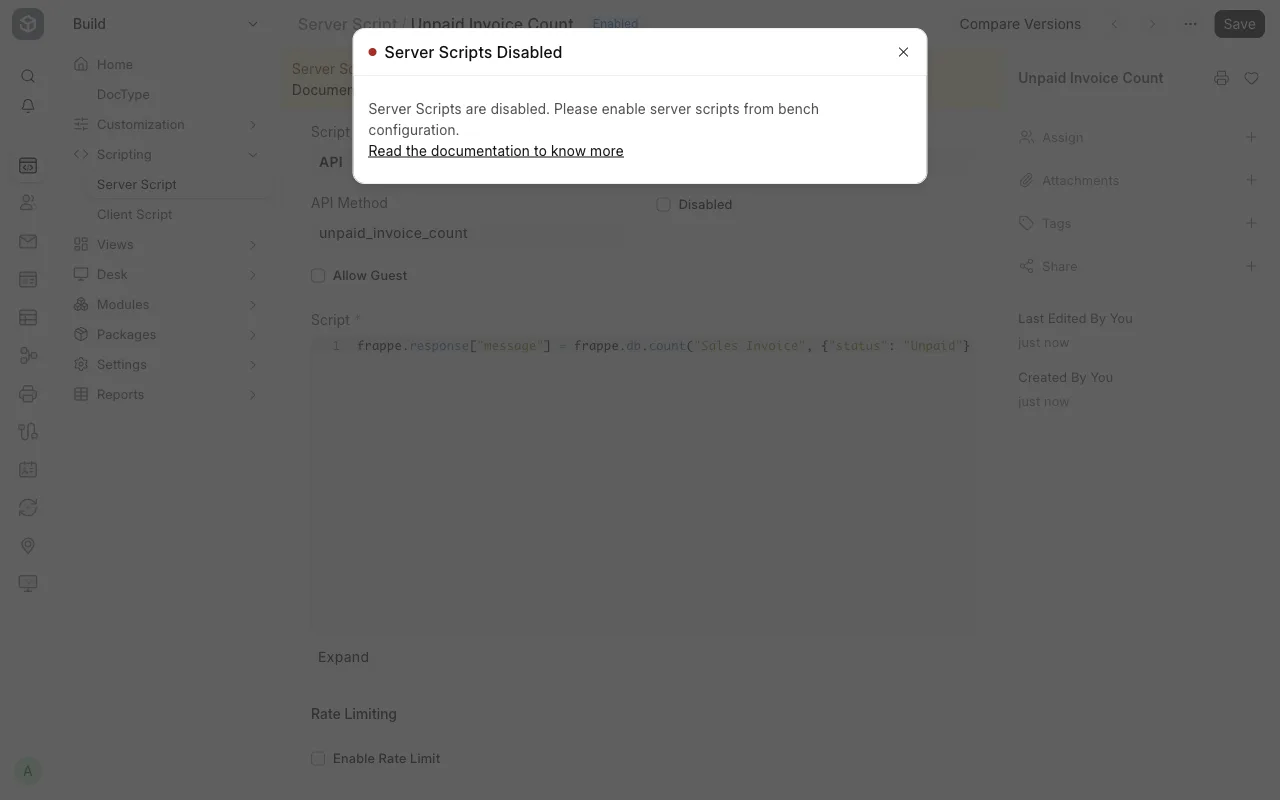
A REST call to an API Server Script returns HTTP 403 with "exc_type": "ServerScriptNotEnabled".
The Server Script form also shows a yellow banner:
Server Scripts feature is not available on this site. To enable server scripts, read the Official Documentation.
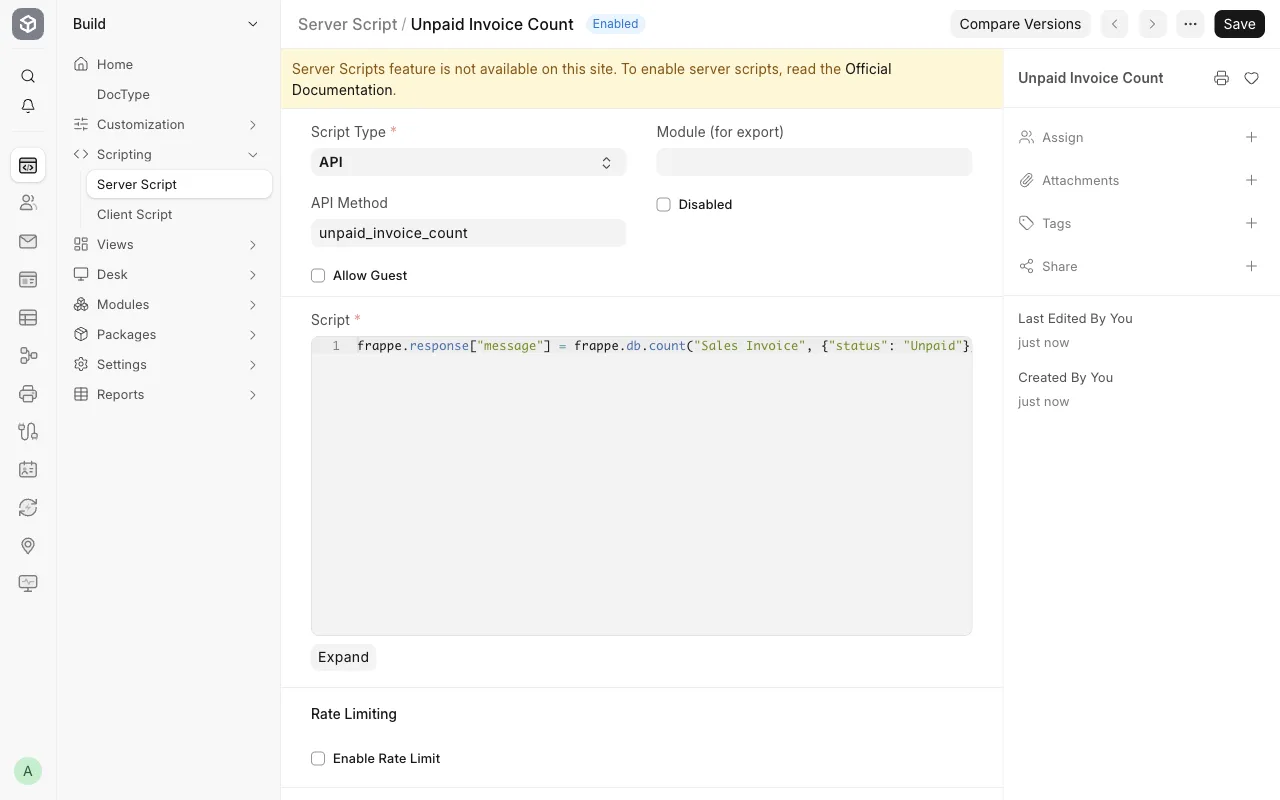
You can still create and save a Server Script. It fails only when it runs.
Cause#
Frappe reads server_script_enabled only from sites/common_site_config.json. This file is shared by all sites on the bench. Frappe does not read the key from a site's own site_config.json. The check is is_safe_exec_enabled() in frappe/utils/safe_exec.py.
Server Scripts run Python on your server. So they are off by default, to keep shared benches safe.
Fix#
Go to your bench folder.
bashcd ~/frappe-benchSet the key in the common config.
bashbench set-config -g server_script_enabled 1Check the file.
bashgrep server_script sites/common_site_config.jsonWe got this output:
text"server_script_enabled": 1,Run the script again. Our API script worked on the next call, with no restart. Frappe caches this file in memory for up to 60 seconds. If it still fails, wait one minute or run
bench restart.
What did not work#
This command is the accepted answer on one forum thread. It also appears in the Frappe docs:
bench --site <site-name> set-config server_script_enabled true
It writes the key to sites/<site-name>/site_config.json. On v16.54.0 our API script still returned ServerScriptNotEnabled after it. Frappe does not read the key from that file. This explains the forum thread "Server Script Enabled but message is still showing".
You can remove the unused key from the site config:
bench --site <site-name> set-config server_script_enabled false
Check that it worked#
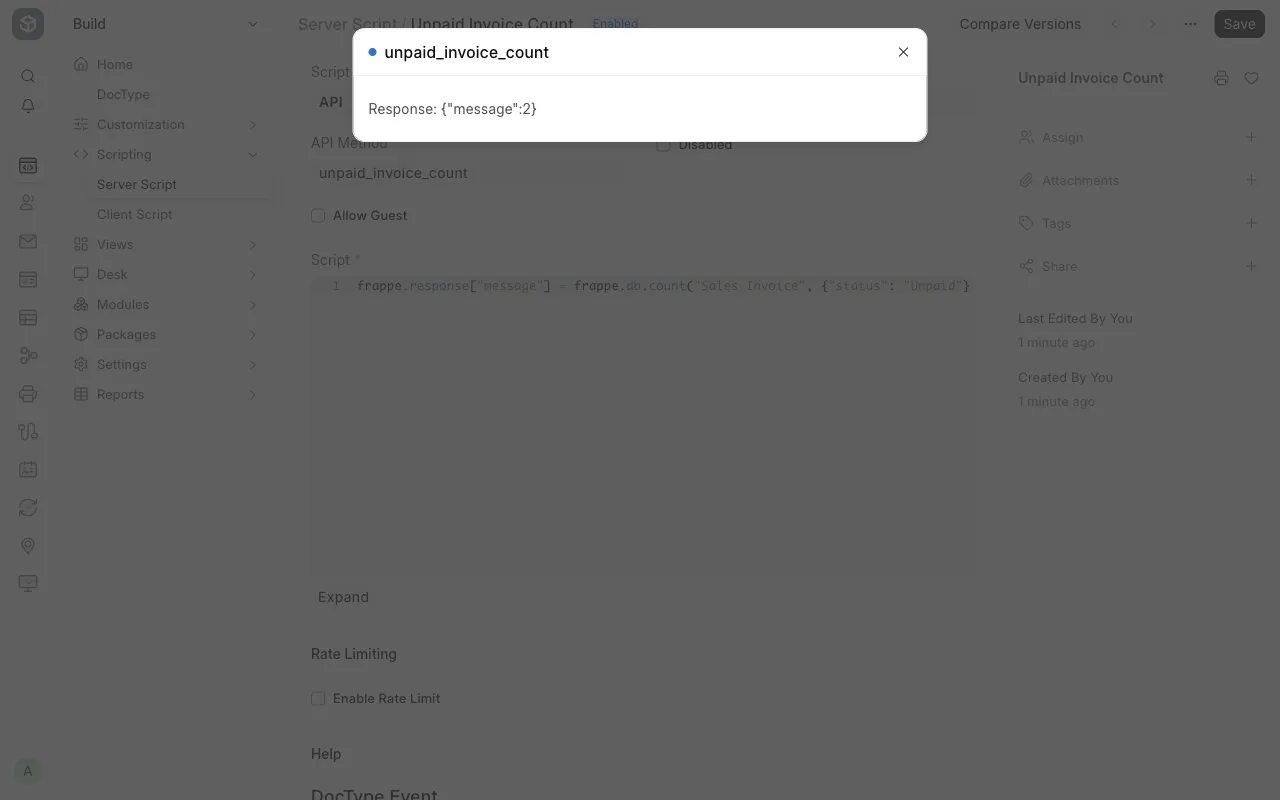
Call an API Server Script. Our script had the API Method unpaid_invoice_count:
curl -H "Authorization: token <api_key>:<api_secret>" \
  https://<your-site>/api/method/unpaid_invoice_count
Before the fix, it returned HTTP 403. After the fix, it returned {"message":2}. The yellow banner on the Server Script form is also gone.
If it still fails#
- Check the spelling. The key is
server_script_enabled, with a "d" at the end. A forum user hadserver_script_enable. - On Frappe Cloud you cannot edit
common_site_config.json. The Frappe docs say shared benches do not allow Server Scripts, and you need a private bench. We did not test this. -genables Server Scripts for every site on the bench. Any System Manager on any of those sites can then run Python on your server. Do not do this on a bench that hosts sites for people you do not trust.- If a script call fails with a different error, see Function ... is not whitelisted.
- Look in
~/frappe-bench/logs/for the newest error. Post it on discuss.frappe.io with your versions (bench version).
Sources#
- Enable Server Scripts (discuss.frappe.io)
- Server Scripts are disabled (discuss.frappe.io)
- Server Script Enabled but message is still showing (discuss.frappe.io)
- Server Script docs (docs.frappe.io)
is_safe_exec_enabledin frappe/utils/safe_exec.py, version-16